Do You Know Your RCFE’s Break-Even Point?
You know your rates. You know your number of beds. But do you know how many residents you actually need to cover your costs?
For some RCFE owners, knowing whether the business is profitable can be as simple as looking at the money left in the bank at the end of the month.
But that number doesn't always tell the full story.
An RCFE can have a full schedule and strong monthly revenue while still carrying high staffing, housing, food, insurance, and operating costs.
That’s why understanding your RCFE profit margin and break-even point matters.
What Is an RCFE Break-Even Point?
Your break-even point is the number of residents you need to cover your monthly operating costs.
Below that number, your RCFE is operating at a loss.
Above it, each additional resident can contribute to your profit.
For example, imagine a six-bed RCFE with:
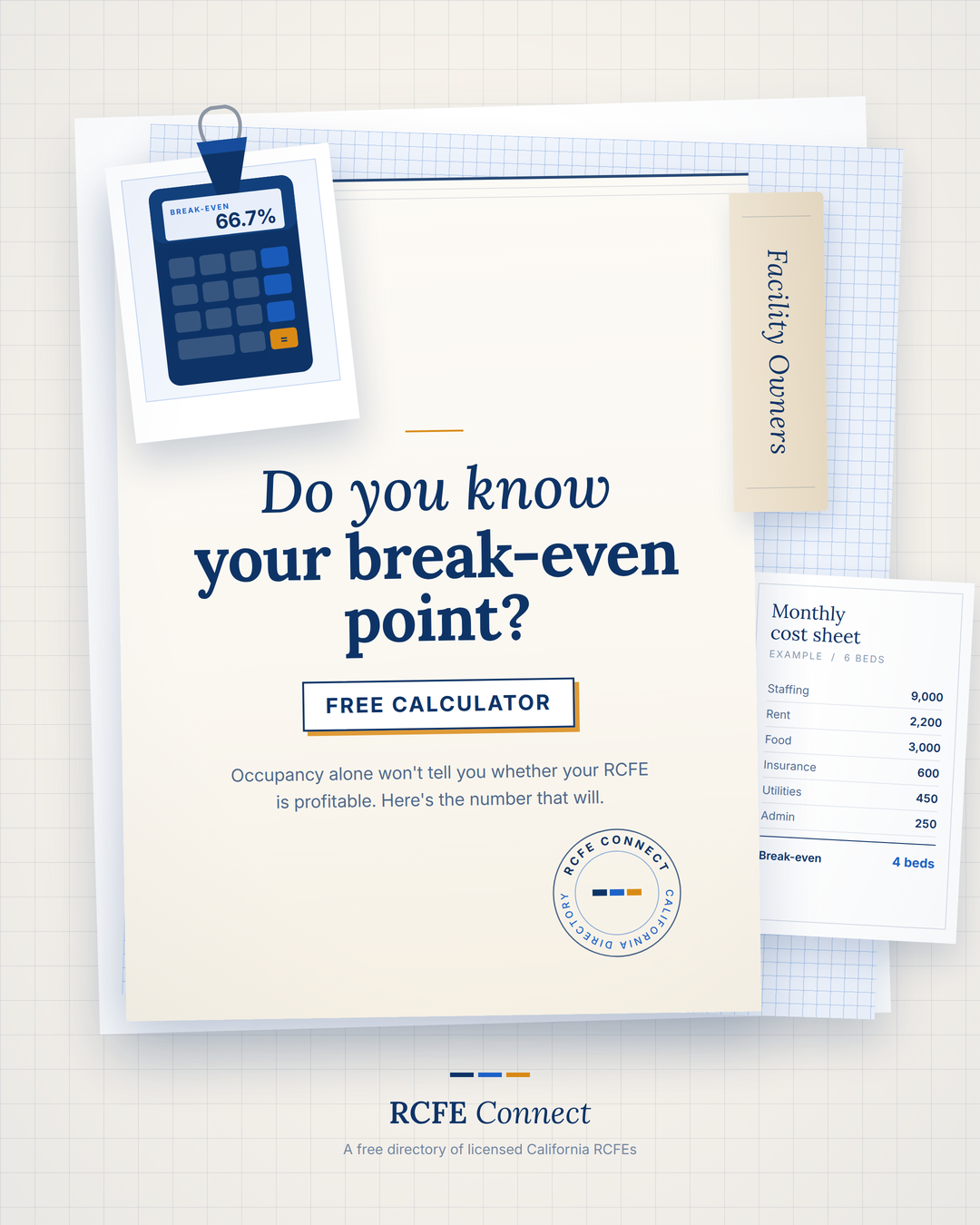
$12,500 in monthly fixed costs
$4,000 average monthly rate per resident
$600 in costs per resident for food and supplies
Each resident contributes:
$4,000 − $600 = $3,400
To find the break-even point:
$12,500 ÷ $3,400 = 3.68
Since you can't have 3.68 residents, you would need 4 residents to break even.
For a six-bed RCFE:
4 ÷ 6 = 66.7% break-even occupancy
That means you don't necessarily need every bed filled to cover your costs—but knowing exactly where that point is can make a big difference in how you manage the business.
Why Occupancy Alone Isn't Enough
It’s easy to think:
“I have five out of six beds occupied, so I must be doing well.”
But occupancy is only part of the picture.
What matters is what those residents contribute after your expenses.
Consider the same example:
5 residents × $4,000 = $20,000 revenue
After:
Staffing: $9,000
Rent/mortgage: $2,200
Insurance: $600
Utilities: $450
Admin/licensing: $250
Food/supplies: $3,000
The estimated monthly income is:
$4,500
That's a 22.5% margin on $20,000 in revenue.
And if the sixth bed is filled, the additional resident contributes approximately $3,400 after the $600 per-resident cost.
This is why knowing your RCFE operating costs, profit margin, and break-even occupancy can be more useful than looking at revenue alone.
The Numbers Every RCFE Owner Should Know
You don't need a complicated financial model to start understanding your RCFE's profitability.
At minimum, you should know:
1. Your monthly revenue
How much are you actually bringing in from your current residents?
2. Your monthly fixed costs
What do you pay regardless of whether every bed is occupied? Think rent or mortgage, insurance, utilities, and certain staffing costs.
3. Your per-resident costs
What costs increase when you add another resident? Food, supplies, and other resident-specific expenses can fall into this category.
4. Your break-even occupancy
How many residents do you need before your RCFE covers its costs?
5. Your profit margin
After your expenses, what percentage of your revenue is actually left?
Once you know these numbers, decisions become much easier.
If you're operating below break-even, you know occupancy or expenses need attention.
If you're above break-even, you can see how much another resident could contribute.
And if your margin is lower than expected, you can identify where your money is going.
Find Your RCFE's Numbers in About a Minute
You shouldn't have to build a spreadsheet from scratch just to answer:
“Is my RCFE actually making money?”
The RCFE Connect Profit Calculator lets you enter your own:
Licensed beds
Current residents
Average monthly rate
Staffing costs
Rent or mortgage
Insurance
Utilities
Admin and licensing
Food and supplies
Other expenses
It then estimates your monthly profit, profit margin, break-even residents, and break-even occupancy.
It's not an accounting statement, and it doesn't replace professional financial advice. But it gives you a quick way to understand where your RCFE stands using your own numbers.
Try the Free RCFE Profit Calculator
Know your numbers. Know your break-even point. Know what your RCFE actually earns.
Comments
Sign in with a family account to join the conversation.
Loading comments…